
Practical Shopify Functions vs Scripts guide for real-world stores
Shopify Functions safely extend checkout logic for discounts, shipping, and payments, but differ from legacy Shopify Scripts in scope and limits. This guide clarifies what you can and cannot do, and how to plan a realistic migration using common ecommerce use cases.
To start with the conclusion, Shopify Functions are a safe way to extend complex checkout logic via apps. You can recreate most discount, shipping, and payment conditions with Functions, but you cannot rewrite themes or run custom JavaScript. Instead of lifting and shifting legacy Shopify Scripts as-is, you need to decide which areas you will replace with Functions and where you will use other approaches. This article summarizes, from a store owner or manager’s perspective, what you can and cannot do with Shopify Functions and how to think about migrating from Scripts in a hands-on way, with a focus on points that also matter for non–Shopify Plus stores.
What Shopify Functions are and how they differ most from Scripts

Shopify Functions are a mechanism for extending Shopify’s backend processing. Official docs describe them as small programs that run on Shopify’s infrastructure to customize your store’s business logic. They let you fine-tune things like checkout and cart discounts, shipping rates, and available payment methods through apps.
The biggest difference from legacy Shopify Scripts is where they run and how they are delivered. Scripts were Ruby-based and executed per store directly in the Script Editor for Shopify Plus. Functions run on a Go-based runtime, are distributed as apps, and run in a heavily constrained environment on Shopify’s servers. That gives Functions advantages in stability and performance, but less freedom than Scripts.
Another key difference is plan availability. Scripts were limited to Shopify Plus. Functions, in contrast, are tied to specific features, and some Functions-based features—for example order discounts—are available on non‑Plus plans. That said, most migration discussions from Scripts are effectively about Shopify Plus stores. To know whether a given feature is available on your store, it is safest to check the plan requirements on each feature’s page in the official docs.
What Shopify Functions can do: common use cases
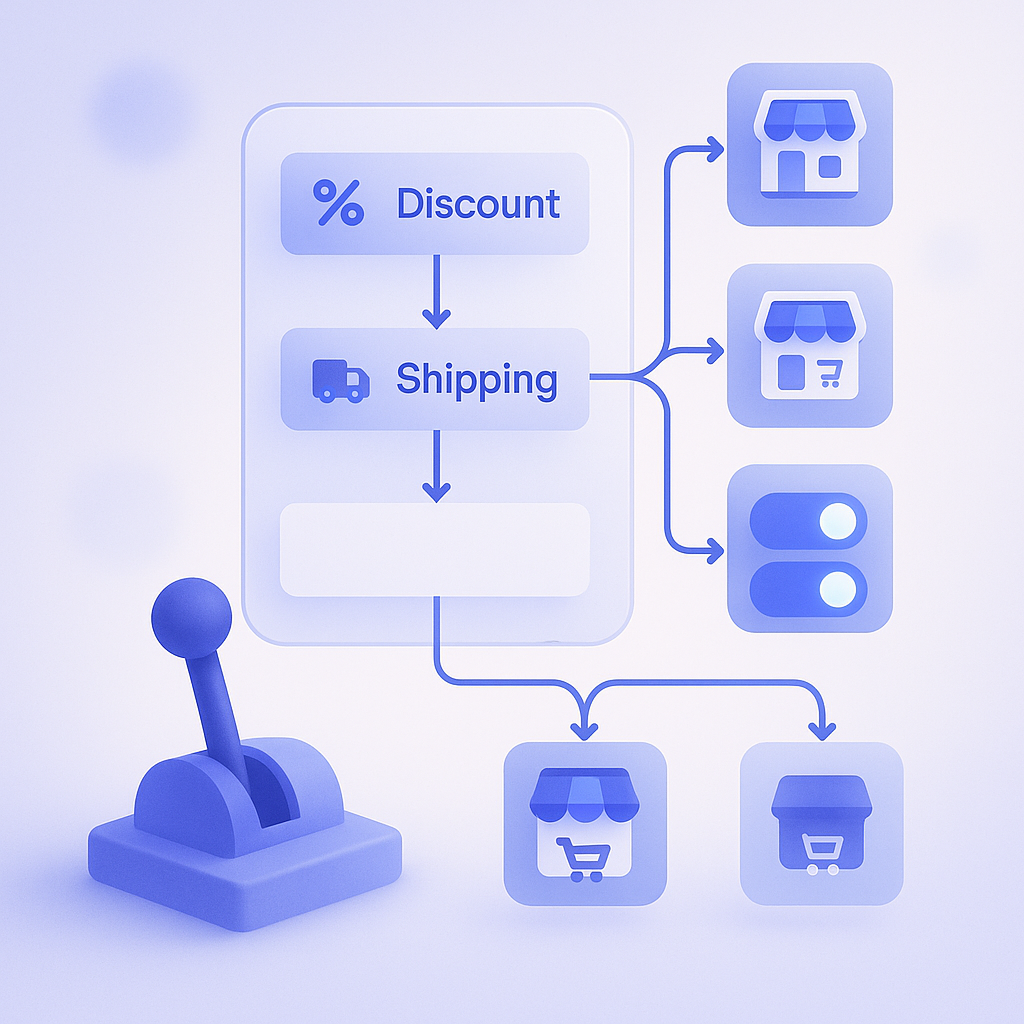
Shopify Functions can only be used at specific extension points. As of 2024, the main public areas are discounts, shipping, and payments. If we narrow this down to everyday store operations, you can do things like the following.
- Define detailed conditions for order and product discounts, such as discounting only products with specific tags or changing the discount rate above a certain quantity.
- Implement custom shipping logic, such as changing shipping fees based on combinations of region and order value.
- Conditionally show payment methods, for example only showing bank transfer for high‑value orders.
- Reorder or hide items in the cart or checkout, limited to the extension points that support it.
For example, you can implement a discount like buy three or more products from the same category and get the cheapest item in that category for free, which is hard to do with standard features alone, by using order discount Functions. Many of the complex conditional branches you used to write in Scripts can be ported over, as long as they are strictly within discount logic.
In many cases, Functions also come paired with an admin UI. Shopify’s native discount features, for example, use Functions under the hood and expose app‑defined conditions such as customer tags or cart value as fields in the admin. This has made it easier to avoid the old Scripts‑era problem where you had to ask a developer every time you wanted to tweak a condition.
What Shopify Functions cannot do: common misconceptions
Functions only let you change logic within Shopify’s predefined extension points. They are not a do‑anything tool. The areas that most often trip people up when migrating from Scripts include the following.
- You cannot modify theme HTML or Liquid with Functions.
- You cannot freely add custom UI parts to the checkout screen. You need separate mechanisms such as Checkout UI Extensions for that.
- You cannot freely call external APIs. The Functions runtime is heavily restricted.
- You cannot run code on arbitrary schedules like a cron job. Functions only run in response to specific events.
So if you want to show your own banner on the checkout page, or embed recommended products into the cart page, you need to use theme customization, Checkout UI Extensions, app blocks, or other mechanisms—not Functions. Functions alone cannot change what the storefront looks like.
Another frequent misconception is scenarios like querying an external inventory system from a Function and changing discounts based on the result. Because Functions are designed for high performance and reliability, they are not meant to access arbitrary external services at runtime. If you need that kind of integration, you will have to push the necessary data into Shopify beforehand via webhooks or batch processes, then have your Function read only that stored data.
How to think about migrating from Scripts to Functions: you do not have to move everything
If you are a Plus store that has relied on Shopify Scripts for years, it is tempting to assume you must migrate every Script to Functions. In practice, it is more important to separate logic you should keep from logic you can retire. Treat this as a good opportunity to review your operations.
In an actual migration project, you start by inventorying your existing Scripts by purpose. For example, you can classify them like this:
- Logic tied directly to revenue, such as bundle discounts or member tier–based discounts.
- Logic that improves operational efficiency, such as automatically switching shipping methods under certain conditions.
- Logic with unclear impact or low usage, such as old campaign rules that are still lingering after the campaign ended.
At one Plus store, the number of Scripts had grown to more than ten, to the point where no one internally could clearly tell which discounts were active when. Handling customer inquiries became time‑consuming. During the Functions migration, they decided to port only the three rules with clear revenue impact and to replace the rest with native discounts and simple rule‑based operations. As a result, operations became simpler and time spent answering discount‑related inquiries was cut by more than half.
Whether something is technically portable from Scripts to Functions will often be determined by your development partner or the app vendor. But if you, as the operations team, first review whether each Script is truly necessary and whether it could be replaced by standard features or simpler rules, you can lower migration costs and reduce future issues.
Three implementation and operations pitfalls to watch out for
When you introduce Function‑based mechanisms, the three practical points to watch are who can change conditions, how you prepare a test environment, and how Functions interact with other apps.
First is permissions and workflow. The more granular your control over discounts and shipping via Functions, the bigger the impact of misconfigurations. It is entirely possible, for example, to intend a discount only for customers with a specific tag but accidentally apply it to all customers. Define internally who is allowed to change conditions and what checklist they must follow when making changes.
Second is testing. As with Scripts, testing directly in production is risky. Where possible, use a development store or duplicated theme and build a flow for pre‑production checks using test coupons or test customer tags. Before rolling out, verify that checkout totals and shipping fees are correct and run through at least a few off‑happy‑path scenarios.
Third is interaction with other apps. Because Functions touch core areas like discounts and shipping, installing multiple apps in the same area can easily cause conflicts such as which discount takes precedence or whether shipping is calculated twice. Before installing a new app, check its documentation or ask support whether its behavior overlaps with your existing apps to avoid painful rollbacks later.
How RecoBoost fits in: dividing roles between recommendations and discount logic
A recommendation app like RecoBoost and Shopify Functions play different roles. RecoBoost uses AI to optimize which products to recommend and increase cart additions and exposure to related items. Functions, on the other hand, control how those recommended products are priced and shipped. For example, you can show combinations that people often buy together via RecoBoost while using an order discount Function to automatically apply 10% off when the recommended set is purchased together. That both strengthens your recommendation pitch and reduces manual work. Thinking of recommendations as deciding what to sell and Functions as deciding how to sell it makes it easier to integrate both into your store without friction.
Shopify Functions are not a drop‑in, full replacement for Scripts but rather a safe container for extending logic in specific areas. The fastest path to stronger functionality with fewer issues is to narrow down which logic your store truly needs and then migrate only the parts that actually fit the Functions model.